
PICO / SPATIAL SDK 6.1.9
PICO 地面检测实战:
线框 Debug、日志与异常恢复
Gunner · · Kotlin / Full Space
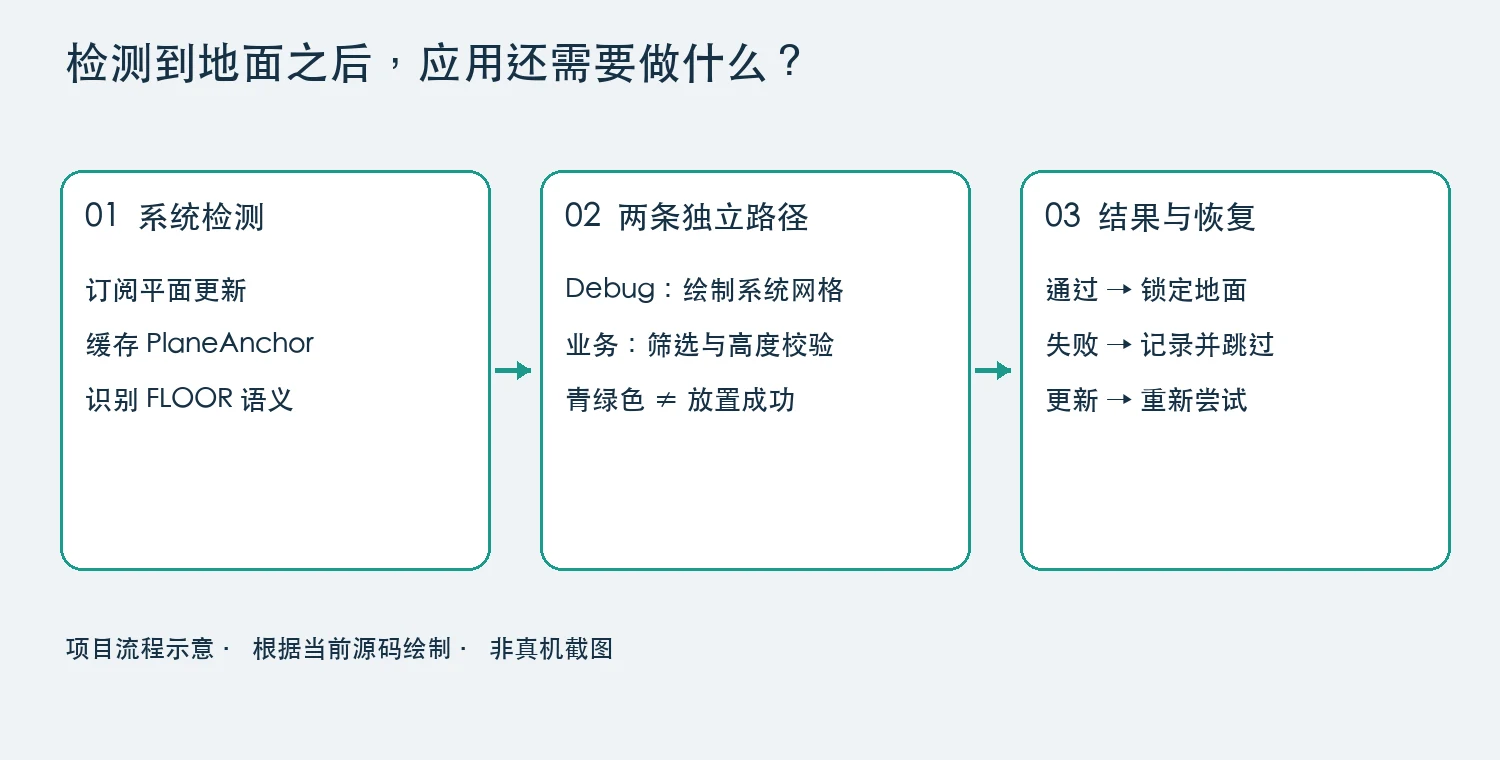
真机提示“环境检测暂不可用”,不一定是系统没找到地面。Flatnation 的一次故障发生在应用自己的高度校验:候选平面被拒绝,异常又中断了检测。下面给现有 Full Space 场景补上三件东西:可见网格、坐标日志和失败重试。
1. 先确认是谁拒绝了地面
真机日志出现 Floor is not level in room coordinates。异常来自 BureauEnvironment.kt 的这一段:
val ys = anchor.vertices.map { surface.convertPositionTo(it, parent).y }
require(ys.all { it.isFinite() } && ys.max() - ys.min() < .04f) {
    "Floor is not level in room coordinates"
}
4 厘米是项目阈值。失败可能是坐标非有限,也可能是转换后的高度差过大;旧日志没有数值,不能直接归因于权限或扫描失败。
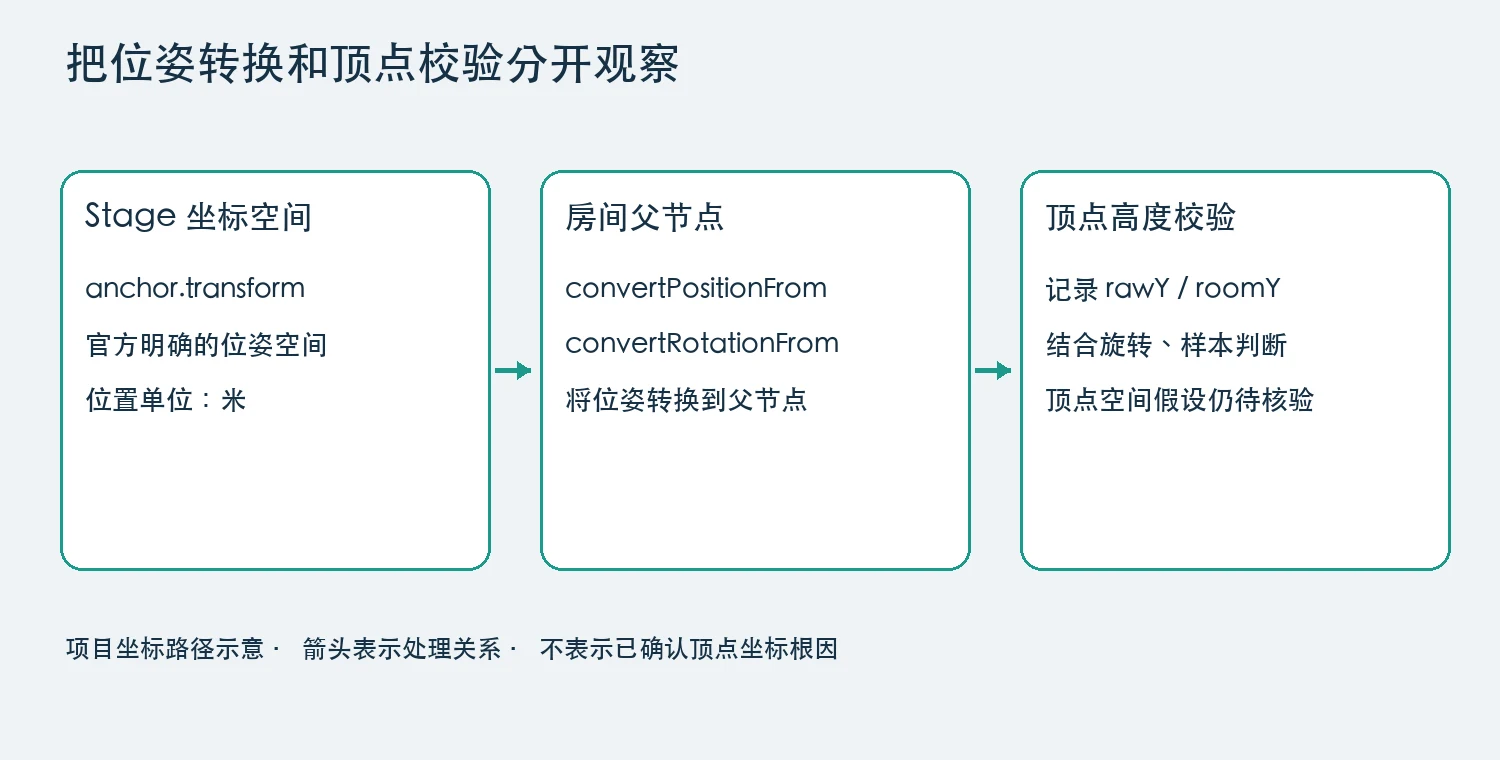
先确认 Full Space 前提。按官方平面检测指南订阅更新后再启动 PlaneTrackingManager。6.1.9 PlaneAnchor 文档对 transform 的原文是:
“The transform of the anchor in the current Stage coordinate space”
即位姿在 Stage 空间,位置单位为米。它不能单独证明 vertices 的坐标空间约定:需要把原始顶点、锚点位姿和转换后的高度一起核对。
2. 设置中开启地面线框
用进程内状态控制开关,默认关闭。把下面的 Switch 放进已有设置页面,场景协程收集 enabled:开启时绘制缓存锚点,关闭时清理实体。
object EnvironmentDebug {
    val enabled = MutableStateFlow(false)
}

// Compose 设置内容中
val debugEnabled by EnvironmentDebug.enabled.collectAsState()
Switch(
    checked = debugEnabled,
    onCheckedChange = { EnvironmentDebug.enabled.value = it }
)
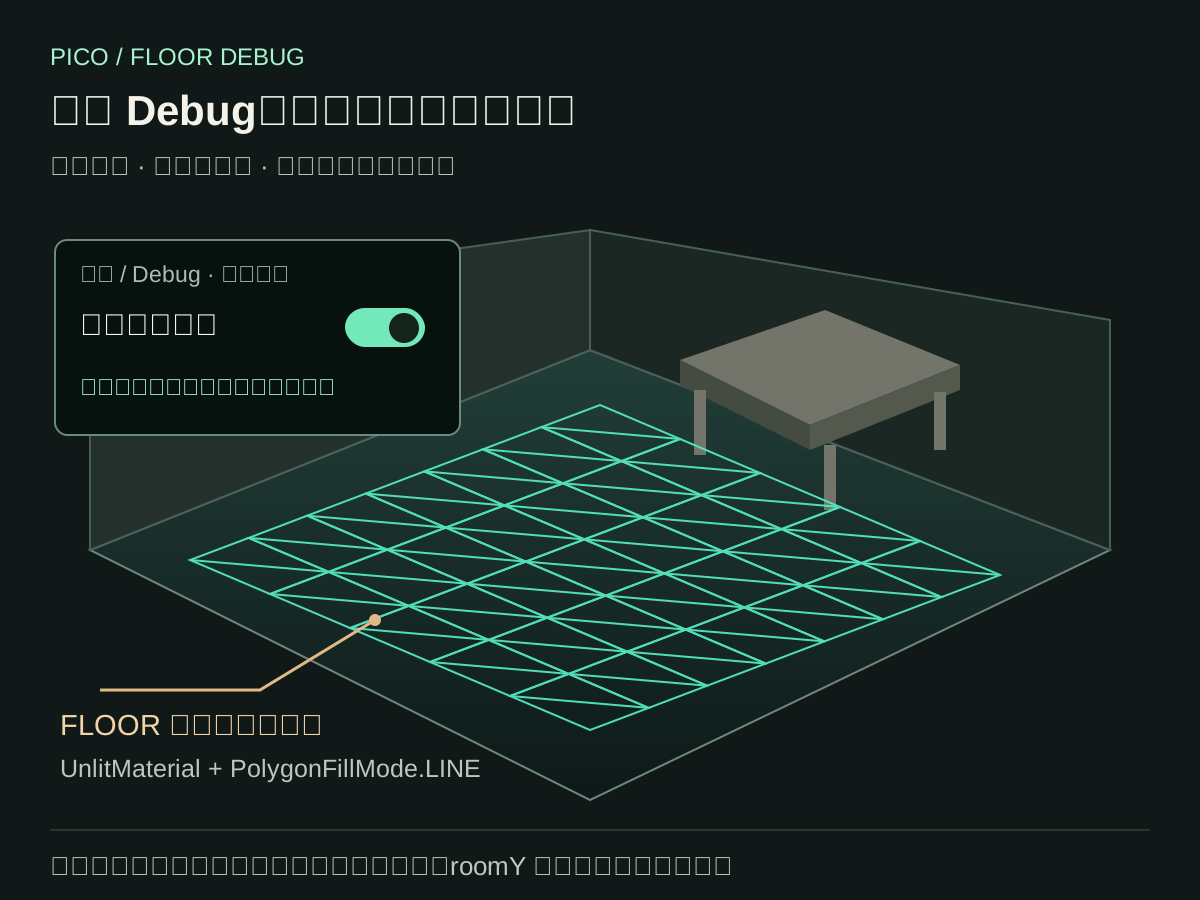
只筛选 FLOOR 语义,直接加载锚点网格。青绿色表示“被识别的地面”,不表示通过放置校验。下面摘自项目,依赖类内的 physics、debugPlanes 和 debugMaterial;并非独立示例。
private fun updateDebug(anchor:PlaneAnchor) {
    if(!EnvironmentDebug.enabled.value) return
    debugPlanes.remove(anchor.anchorUUID)?.let { if(it.valid) it.destroy() }
    if(anchor.semantics!=SemanticLabelType.FLOOR) return
    val parent=physics?.takeIf { it.valid } ?: return
    try {
        val ink=debugMaterial ?: UnlitMaterial.create().apply {
            toGlobal();setBaseColor(Color4(0f,1f,.8f,1f))
            setPolygonFillMode(PolygonFillMode.LINE)
        }.also { debugMaterial=it }
        val mesh=MeshResource.loadFromPlaneAnchor(anchor.anchorUUID)
        val entity=ModelEntity(mesh,ink)
        parent.addChild(entity)
        debugPlanes[anchor.anchorUUID]=entity
        entity.setName("DebugDetectedFloor")
        entity.components[TransformComponent::class.java]!!.apply {
            setPosition(parent.convertPositionFrom(anchor.transform.position,null))
            setQuaternion(parent.convertRotationFrom(anchor.transform.rotation.toQuat(),null))
        }
    } catch(failure:Exception) { Log.w(LifeWorldScene.TAG,"Debug floor mesh failed id=${anchor.anchorUUID}",failure) }
}
位置和旋转都转到父节点空间;UnlitMaterial 避免依赖光照,LINE 显示网格边。这里使用项目编译通过的 loadFromPlaneAnchor,移植时以锁定的 SDK 版本为准。
锚点 REMOVED 时销毁对应实体;关闭 Debug、停止场景时销毁全部网格,再 close 材质。当前实现逐次重建实体,高频更新下应再验证性能;跟踪离开 RUNNING 时也应清理或标记旧网格,避免把过期结果当成当前结果。
3. 记录数值,让失败停在当前候选
日志至少保留 UUID、语义、方向、尺寸、锚点位姿、顶点数量,以及 rawY / roomY 范围。只抽样少量顶点,不要整份网格刷屏。下面放在高度校验前,候选已通过非空几何筛选:
val ys = anchor.vertices.map { surface.convertPositionTo(it, parent).y }
Log.i(TAG, "Floor id=${anchor.anchorUUID} " +
    "semantic=${anchor.semantics} orientation=${anchor.planeOrientation} " +
    "extent=${anchor.boundingBoxSize} pose=${anchor.transform} " +
    "vertices=${anchor.vertices.size} " +
    "rawY=${anchor.vertices.minOf { it.y }}..${anchor.vertices.maxOf { it.y }} " +
    "roomY=${ys.min()}..${ys.max()} samples=${anchor.vertices.take(3)}")
在候选处理内部 catch 校验异常:销毁临时 surface、加入 rejected、重置稳定性采样,继续等待其他候选。收到该 UUID 的新几何数据后,再移除拒绝标记重试。不要让异常逃出 findGround(),结束整个检测协程。
4. 真机上按这个顺序验证
adb devices -l
adb -s <真机序列号> logcat -v threadtime -s FlatnationPico > floor-debug.log- 进入 Full Space 场景,开启“显示检测地面”,环顾地面。
- 没有线框:先查跟踪状态、FLOOR 锚点和 Debug mesh 异常。
- 有线框却放置失败:按 UUID 对照候选日志,检查非有限值和 roomY 跨度。
- 触发候选拒绝后,确认仍能收到更新并重新校验;关闭开关、退出场景后确认网格消失。
验证边界:该版本已通过构建与单元测试,并安装到真机。本文修复了“单次候选失败终止检测”的恢复路径;头显线框视觉验收和原始高度异常根因仍待确认。