
DarkString / Services
AI Workflow Automation for Creative and Video Teams
Turn individual model calls into work that a team can track, review and hand over. Start with a real task: where inputs live, who makes decisions, how results are saved and who receives the next step.
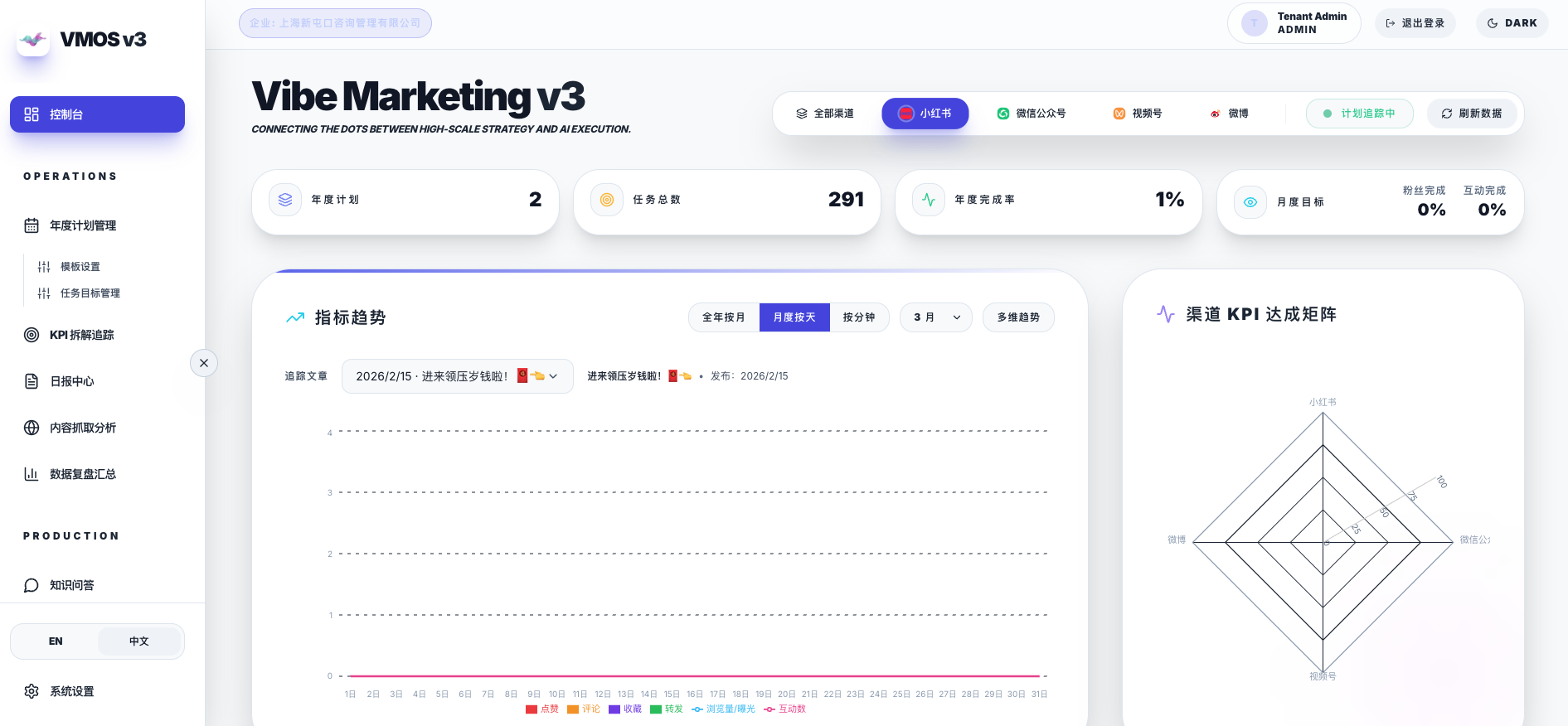
Connect three parts of creative operations
Production involves creating new material, understanding existing footage and moving a project toward delivery. Choose the product closest to the task or discuss the workflow that needs connecting.
- Creative planning: Tapdance organizes briefs, characters, scenes and storyboards.
- Project delivery: Vibemarketing connects planning, asset production, review and KPI tracking.
- Video understanding: VogCut organizes local footage indexing, retrieval and cut plans.
Define acceptance before choosing a model
Select a testable part of the workflow and agree on input samples, output formats, reviewers and acceptance criteria. Model and tool choices follow these requirements.
- Map inputs, permissions, human decisions and output destinations.
- Use real samples to check quality, failure cases and repeatability.
- Expose task status, review history, cost and delivery results in a working interface.
Which step should AI workflow automation handle?
Start with a workflow that has clear inputs and outputs, such as a creative brief becoming storyboard tasks, or footage becoming candidate clips. Automate repeatable operations and handoffs while retaining human review. The following is a scoping example, not a claim that every product includes every integration.
- Input: collect the brief, asset locations and output requirements; validate required fields and access.
- Execution: call models or existing tools, recording outputs, time, errors and retry status.
- Review: assign candidate results to a reviewer, preserve feedback and versions, then advance approved work.
- Delivery: save results in the agreed format with source and task status so the team can edit or hand them over.
Connecting existing tools and Feishu workflows
Integration starts with APIs, data formats and permissions. Our Codex and Feishu article offers a product-development workflow reference. Reading documents, triggering tasks or writing results must be verified against the actual accounts and available APIs for each project.
- List the tools, input and output files, owners and actions that need human approval.
- Run a small sample through one complete flow, then handle timeouts, retries and duplicate execution.
- Agree on model costs, data transfers and output storage before increasing volume.
How do you evaluate an automation pilot?
Compare equivalent tasks before and after the change: human time, review acceptance, rework and cost per task. Keep failed samples and distinguish successful generation from usable work. Count an output as delivered only when it meets the review standard.
- Establish the baseline: sample size, existing steps, human effort and quality criteria.
- Validate the workflow: check handoffs, error diagnosis and recovery.
- Choose what to scale: use measured quality and cost to decide which steps to automate and where to keep human review.
Specify data boundaries and failure handling
Media, credentials and heavy assets can stay close to the working environment. External model calls require a project-specific assessment. Retries, human review and archiving belong in the plan; not every task should run unattended.
Questions and answers
Do we need to replace our existing tools?
First identify repetitive work and handoff problems, then assess the current tools and data formats. That assessment determines whether to connect existing tools or build a new working interface.
How does a workflow differ from a single AI chat?
A chat usually leaves context preparation and output handling to a person. A workflow defines inputs, task state, tool calls, review and archiving. Its value depends on repetition, testable outputs and the cost of handoffs.
How much time will the workflow save?
Record the current process and review standard, then compare equivalent tasks. A specific improvement percentage needs project evidence.
Explore further
Share the audience, available assets, device or model constraints, and the task you want to complete.
Discuss a project →